Four Games, One Afternoon
I built four Playdate games with AI in a single session. Turns out 1-bit makes everything easier.
Two days ago I shipped teenagemanual.com, a better way to get started with Teenage Engineering devices. I've been obsessed with their design philosophy for years, the way tight constraints make complex things feel approachable.
While I was going through devices to support, I remembered Playdate, the handheld console Panic co-designed with Teenage Engineering. It's this little yellow Game Boy-looking thing with a black and white screen, a d-pad, two buttons, and a crank on the side. Yes, a crank. You spin it. It's delightful. And this time I knew I had to sit down and make something for it.
Once I looked at the SDK and that 1-bit screen, I had a hunch it would work great with AI, since everything is black and white pixels drawn with simple Lua scripts, which felt like exactly the kind of thing Claude could handle. So I opened Cursor with Claude, and by the end of the afternoon I'd built four complete games.
The perfect match
I'd tried using AI for game dev before, across Unity, Godot, and plain JavaScript canvas experiments, and while it works there's always friction, whether that's a missing import, the wrong API version, an asset that won't load, or that you still have to draw all the sprites and textures yourself. You end up spending more time debugging than building.
Playdate turned out to be different, and I think it comes down to two things.
The first is the 1-bit display. When everything is either a black pixel or a white one there's no room for the AI to mess up colors, gradients, or textures, and you can't land on a "slightly wrong shade of blue" when there's no blue to begin with. Claude draws shapes with simple function calls and they come out looking exactly how they should, so when I asked for a bird it wrote gfx.fillCircleAtPoint(bird.x, bird.y, 8) and that was the whole bird.
The second is Lua, a tiny language that's been around forever, so there's a mountain of documentation, examples, and training data behind it and Claude knows it cold. There were no package managers or build systems to fight with either, because a Playdate game comes down to a single .lua file that runs.
And sure, you could build simple games like this for the web, but this is an actual handheld, a physical device with a crank that you hold in your hands. The SDK is free, the simulator runs on your laptop and it's great, and when you're ready to ship you compile to a .pdx file and it works. There's something special about building for real hardware instead of another browser tab.
The comparison above is a little unfair, since Unity and Unreal are built for 3D worlds with physics, lighting, and multiplayer, and AAA games have hundreds of developers and years of work behind them. You could also build simple 2D games for the web with canvas or Phaser, and AI would probably do fine there too. But this is about shipping something to a real device, a handheld you can hold with a crank you can spin, which feels different from opening another browser tab.
Building the bird
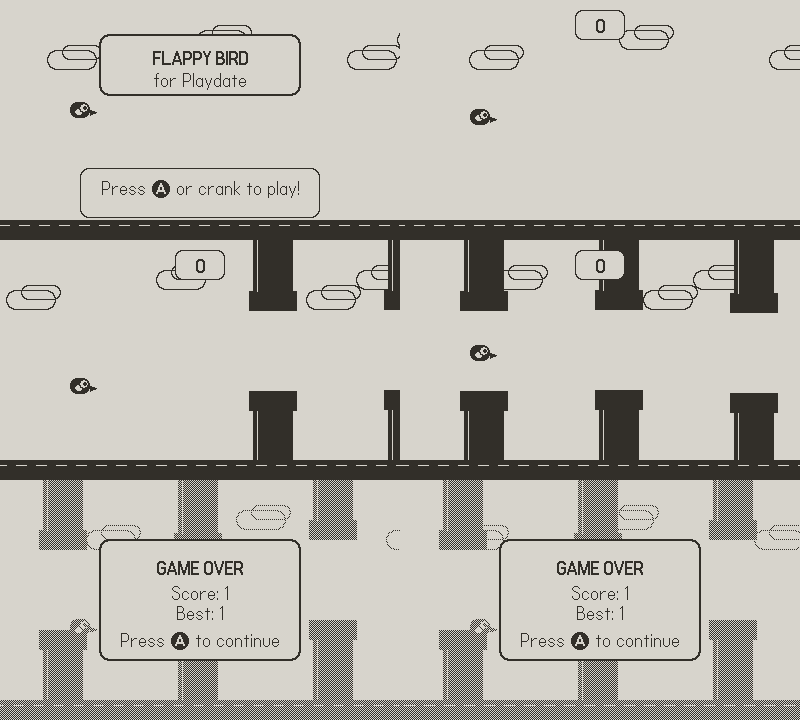
When I asked Claude to "build me Flappy Bird," it just started writing. The whole bird ended up being four drawing calls:
gfx.fillRoundRect(x - 10, y - 8, 20, 16, 6)  -- body
gfx.fillRoundRect(x - 6, y - 2 + wingOffset, 10, 8, 3)  -- wing
gfx.fillCircleAtPoint(x + 4, y - 2, 5)  -- eye
gfx.fillTriangle(x + 10, y, x + 10, y + 6, x + 18, y + 3)  -- beak
The pipes even have a nice shading built out of dithering patterns, all of it generated from that same "build me a Flappy Bird clone" prompt. What got me is how charming it looks, because when you're limited to 1-bit you can't lean on texture or color and end up focusing on shape and motion instead, so the bird flaps and bounces in a way that reads unmistakably as a bird.
The games
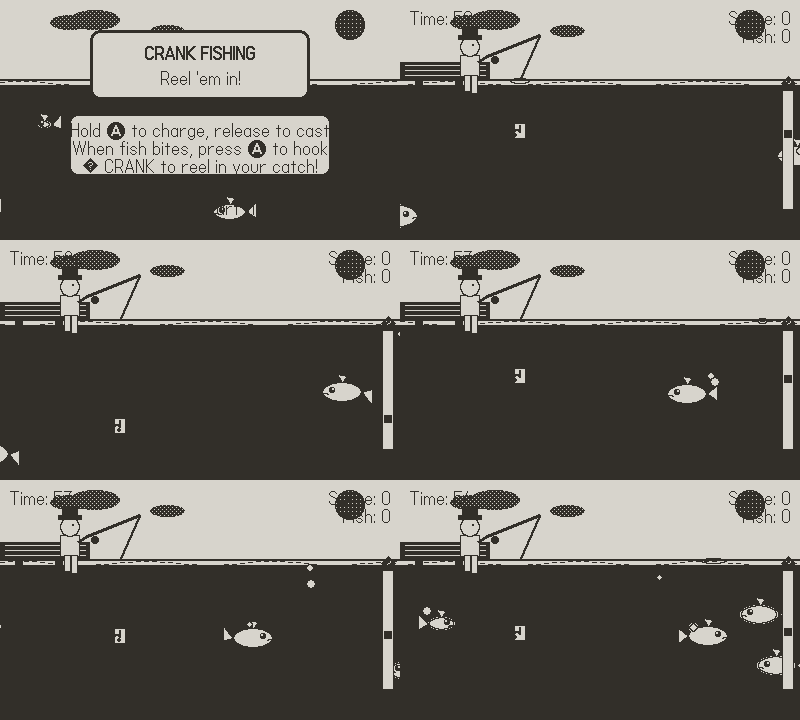
By the end of the afternoon I'd built four games: Flappy Bird, Breakout, a fishing game, and a Street Fighter-style fighter, each one taking maybe 5-10 minutes to go from "build me X" to something playable.
The fishing game was the moment I understood why the crank exists. I asked Claude to "use the crank for something interesting," and it wired the crank up to the fishing reel, so you cast with the A button and then physically crank to reel in your catch while different fish swim at different depths. It felt right in a way that pressing a button never would.
The crank is a different kind of input, one that adds physical texture to interactions that would otherwise feel flat, and when I told Claude about it, it immediately understood how to use it well, suggesting things like charging special moves by spinning or controlling depth by turning. (Side note: the simulator has a great way of driving the crank with your mouse, which makes testing easy.)
The SDK
Credit to Panic here, because the SDK is a pleasure to work with. The docs are clear, the API does what you'd expect (gfx.fillCircleAtPoint(x, y, radius) draws a circle at that point with that radius), and Playdate games are small by nature, so one Lua file and a few hundred lines gets you a whole game. That size matters for AI-assisted development, because Claude can hold the entire thing in context and reason about the whole project at once. The SDK felt like it was made by people who wanted game development to be fun.
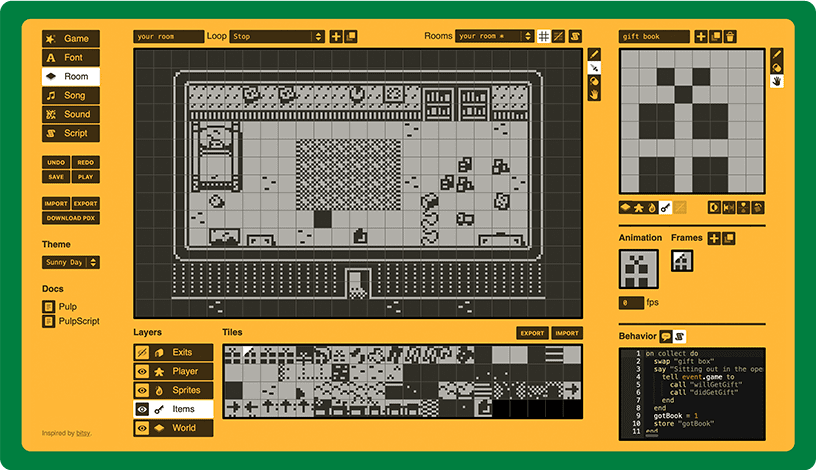
There's also Pulp, a web-based game editor that comes with Playdate, where you design rooms with tiles, write simple scripts, and publish straight to the device. I didn't get to play with it this time, but it looks perfect for anyone who wants to make games without writing code, and it seems like a great way for kids to learn game design. Something for next time.
What I took away
I'm not a game developer, and I couldn't tell you the right way to structure a game loop or handle collision detection, but I made four games anyway and they work and they're fun to play.
There was surprisingly little friction. I described what I wanted, refined it when something felt off, and let Claude handle the implementation, which is the same pattern I used building this website. Having taste for what "good" feels like matters more than knowing how to build it. Now I just need to buy an actual Playdate and try these out on real hardware.
Try it
The Playdate SDK is free, the simulator runs on Mac, Windows, and Linux, and you don't need the hardware to start.
If you've been curious about making games, this is a good place to start, so describe something simple and see what happens.
